
Indoor Lighting Cost Calculator | Actual Price Estimator

How to Calculate Indoor Lighting Cost By Using This Calculator Step by Step Guide
This user-friendly calculator provides a full breakdown. Follow the steps below to create your custom quote:
Step 1: Choose Lighting Type(s)
Select from:
- Recessed lights
- Ceiling mounts
- Pendants/chandeliers
- LED strips
Each has a different base cost and labor estimate.
Step 2: Input Fixture Quantity
Enter how many fixtures you’re planning per room or area. The total drives your materials and labor calculation.
Step 3: Enter Labor Rate and Install Time
Use your electrician’s hourly rate (or default: $100/hr) and estimated time per fixture (1–2 hrs).
Step 4: Estimate Wiring & Materials per Fixture
Use the default ($45) or input your electrician’s allowance for:
- Cables
- Boxes
- Switches and connectors
Step 5: Input Permit Fee (If Required)
If your area mandates permits for new wiring, input the fee. Use $150 as a standard value.
Step 6: Toggle Smart Lighting Options
Click checkboxes to include:
- Smart dimmer switches
- Voice control setup
- Wi-Fi hub integration
Each adds to per-fixture or total project cost.
Step 7: Adjust for Room Complexity
Use the Room Accessibility Multiplier:
- 1.0 for open ceilings or attic access
- 1.2–1.5 for finished drywall or limited access
This adjusts both labor and wiring estimates.
Step 8: Set Contingency Budget
Leave the default 7% or increase if your space has:
- Tight crawlspaces
- Older wiring
- Previous remodels
Step 9: Click “Calculate Estimate”
The calculator generates:
- Fixture + Labor Total
- Wiring and Permit Costs
- Smart Add-ons and Complexity Factor
- Final Estimate Range (Low to High)
Step 10: Export to PDF
Click Export to PDF to save your estimate. Useful for:
- Budgeting room-by-room upgrades
- Sharing with designers or electricians
- Presenting for project financing
Indoor Lighting Cost Calculator
Key Cost Factors in the Indoor Lighting Calculator
The calculator provides accurate estimates for a variety of lighting types and room configurations. Here’s what it factors in:
1. Type of Indoor Lighting
Select from common indoor lighting types:
- Recessed Lights (Can Lights): $75–$200 each
- Ceiling-Mounted Fixtures: $50–$150 each
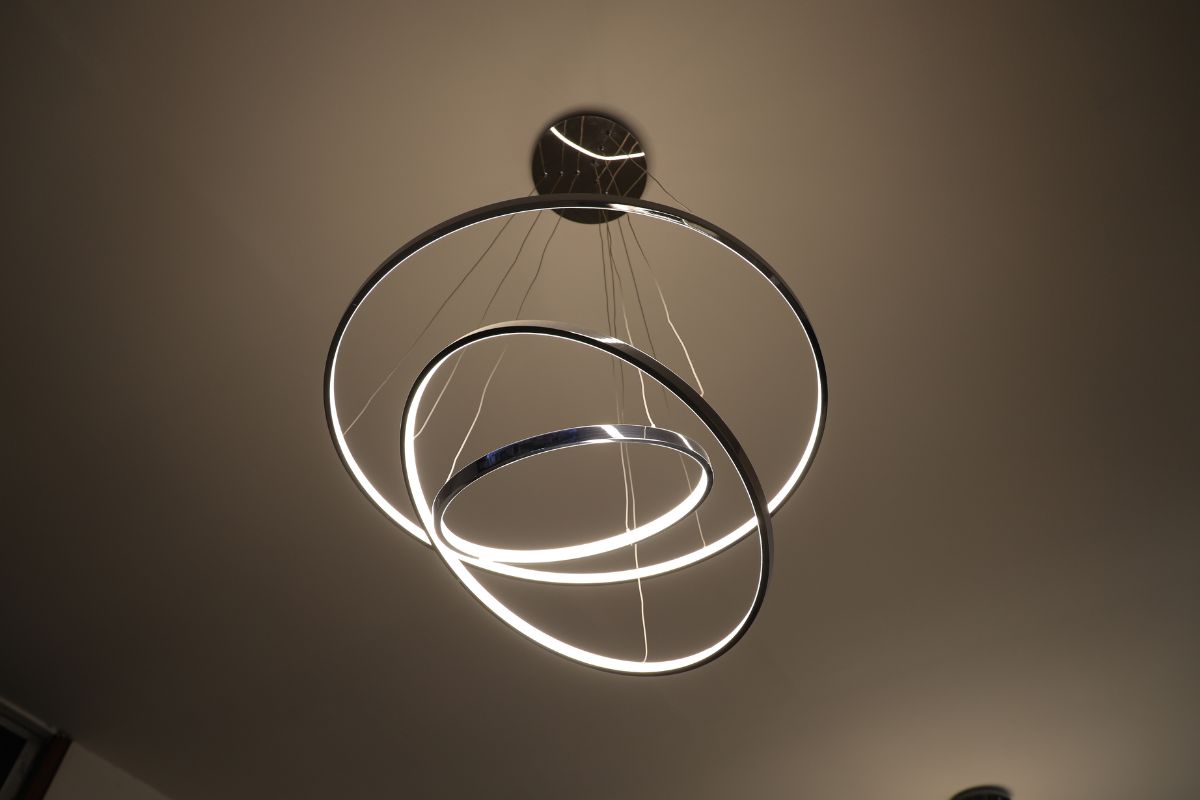
- Pendant or Chandelier Fixtures: $100–$400 each
- Under-Cabinet or Accent LED Strips: $20–$100 per foot
Each type has different labor, material, and design implications.
2. Number of Fixtures
Enter the total quantity of lights to install. Examples:
- Living room: 4–8 recessed lights
- Kitchen: 2–3 pendants + 1 overhead
- Bathroom: 2 sconces + 1 ceiling fixture
The calculator multiplies fixture and labor costs accordingly.
3. Labor Rate and Time per Fixture
Electricians typically charge:
- $75–$125/hour
- Install time: 1–2 hours per fixture (depending on wiring access)
You can adjust both values based on local rates or contractor quotes.
4. Wiring & Material Costs
Beyond fixtures, installs often require:
- Junction boxes and switches
- Romex or low-voltage cabling
- Dimmers, wall plates, and connectors
Standard wiring/material allowance: $30–$60 per fixture
5. Permit & Inspection Fees
If circuits are added or extended, some cities require permits:
- Permit range: $75–$300
- The calculator includes an editable field for your jurisdiction
6. Smart Lighting Add-Ons
Optional integrations:
- Smart Dimmers or Switches: +$75–$150 per unit
- Voice-Controlled Lighting Modules: +$100–$200
- Z-Wave or Wi-Fi Integration Hubs: +$150
Add-ons are selectable and automatically update the cost.
7. Room Accessibility Factor
Wiring complexity varies by location:
- Open ceiling/new build: easy access (1.0x)
- Finished drywall, multiple stories: harder (1.2–1.5x multiplier)
The calculator lets you apply this complexity multiplier to labor and material lines.
8. Contingency Buffer
We apply a standard 5–10% contingency to cover:
- Hidden wire reroutes
- Fixture relocation
- Drywall repairs
Why Use an Indoor Lighting Cost Estimator?
From ambient ceiling lights to modern smart setups, interior lighting projects vary widely in cost. Our calculator helps you:
- Plan per-room or whole-home upgrades
- Compare traditional vs smart lighting options
- Get accurate estimates before hiring contractors
With our Indoor Lighting Cost Calculator, you get financial clarity and lighting flexibility—all before spending a dime.
Try the calculator today to brighten your home with confidence and control.